

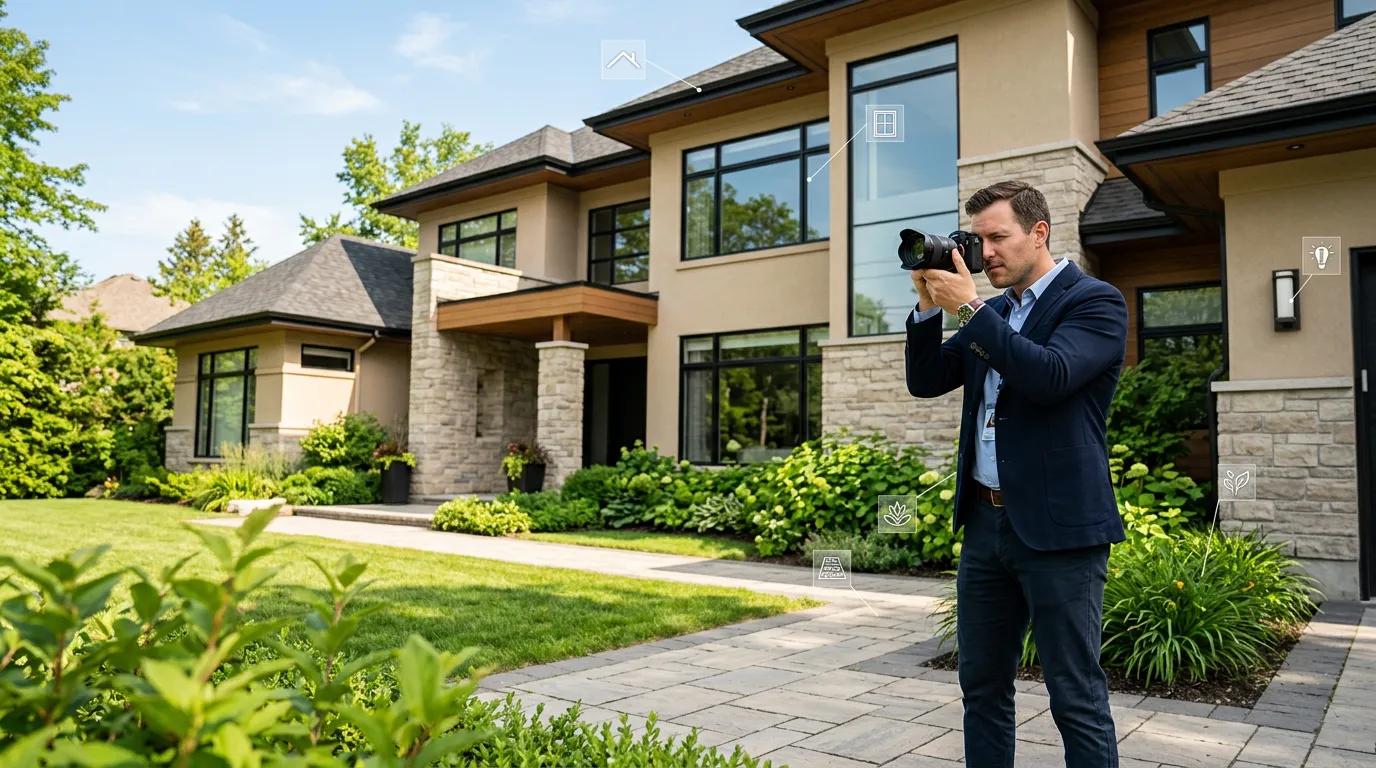
About the Author
This guide was written by Matthew Gigantelli, a cost segregation engineer who has personally inspected and photographed over 3,000 properties for engineering-based cost segregation studies. Gigantelli holds a B.A. in Finance (summa cum laude) from Rasmussen University and a certification from Boon Tax Educators (2026).
Matthew Gigantelli on site inspections: "The site inspection is the foundation of every engineering-based cost segregation study. It is where we identify components, verify conditions, and create the photographic evidence that supports every classification in the report. A study without a thorough site inspection is a study without evidence — and evidence is what survives an IRS examination."
Why the Site Inspection Matters
The IRS Audit Techniques Guide (ATG) for cost segregation specifically evaluates the quality of the site inspection and supporting documentation. An engineering-based study requires physical verification of every classified component.
A typical residential cost segregation study produces 80-150 photographs. A typical commercial study produces 200-500+ photographs. Each photograph is tagged to a specific component in the asset register with a description, CSI code, and MACRS classification.
Many technology-enabled cost segregation firms now accept property owner-submitted photo and video tours as part of the inspection process, supplemented by satellite imagery and public records. This guide shows you exactly what to capture — whether you are conducting the tour yourself or preparing for an engineer's visit.
Video is recommended for interior spaces because it provides continuous coverage and spatial context that individual photographs cannot. A 10-15 minute video walkthrough of a residential property captures more usable data than 50 individual photographs.
The Complete Inspection Checklist
Part 1: Exterior Building
The exterior inspection documents the building envelope — everything attached to the outside of the structure. Most exterior building components are 27.5-year or 39-year property (structural), but several key items qualify for accelerated depreciation.
What to capture:
| What to Photograph/Video | Why It Matters | What the Engineer Determines |
|---|---|---|
| Wide shots of each exterior wall section | Shows wall finishes, window count and sizes, mounted equipment | Wall finish type (stucco, brick, siding), window dimensions for quantity take-off |
| Window sizes and types | Windows are typically 39-year, but awnings over windows are 5-year | Awning classification, window count |
| Building-mounted equipment | Security cameras, surveillance systems, exhaust louvers, hose bibs | Security equipment is 5-year personal property; exhaust louvers may be 5-year |
| Entry ways and doors | Exterior doors are typically 39-year | Door count, type, and condition |
| Overhead light fixtures at entries | Decorative exterior fixtures may qualify as 5-year | Fixture type and classification |
| Roof (if visible) | Roofing is 39-year, but roof-mounted equipment may be 5-year | Roof type, condition, mounted equipment |
| Signage | Exterior signage is 5-year personal property | Sign type, size, mounting method |
How to photograph exterior walls:
Stand far enough back to capture the entire wall section in one frame. The engineer needs to see the wall finish (is it stucco? vinyl siding? brick veneer?), count windows, and identify any mounted equipment. Take one wide shot per wall section — typically 4-8 shots for a residential property, 8-20 for commercial.
Part 2: Exterior Site
Site improvements are the highest-value category for 15-year land improvement classification. Everything attached to the land (but not the building) is potentially 15-year property.
What to capture:
| What to Photograph/Video | Why It Matters | Typical MACRS Life |
|---|---|---|
| Wide reference shots from property corners | Establishes overall site layout, lot size, and improvement scope | — (reference) |
| Parking lot / driveway | Paved surfaces are 15-year land improvements | 15-year |
| Parking lot striping | Part of the paving system | 15-year |
| Storm drain structures | Drainage systems are 15-year | 15-year |
| Sidewalks and walkways | Concrete flatwork on site is 15-year | 15-year |
| Curbing | Concrete or asphalt curbing is 15-year | 15-year |
| Signage (freestanding) | Freestanding site signage is typically 5-year | 5-year |
| Landscaping | Trees, shrubs, sod, planting beds | 15-year |
| Irrigation system heads | Landscape irrigation is 15-year | 15-year |
| Fencing | All fence types (chain link, wood, vinyl, wrought iron) | 15-year |
| Retaining walls | Retaining walls and screen walls | 15-year |
| Retention/detention ponds | Stormwater management structures | 15-year |
| Exterior lighting (site) | Pathway lights, parking lot lights, landscape uplighting | 15-year |
How to photograph site improvements:
Start at one corner of the property and work your way around the perimeter. Take wide shots that show the full extent of paved areas, landscaping, and fencing. For parking lots, capture the overall area plus close-ups of striping, storm drains, and light poles. For landscaping, photograph major plantings — the engineer uses these to estimate quantities and RS Means costs.
Matthew Gigantelli: "Site improvements are where most property owners leave money on the table. A $500,000 property with a paved parking lot, landscaping, fencing, and exterior lighting can easily have $50,000-$80,000 in 15-year land improvements. But if you do not photograph them, they do not make it into the study."
Part 3: Interior Building
The interior inspection is where most 5-year personal property is identified. Move through each room systematically, capturing every component that could qualify for accelerated depreciation.
Video is strongly recommended for interior spaces. A continuous walkthrough captures spatial relationships, flooring transitions, and components that individual photographs miss. Verbally confirm flooring types as you walk through each room (e.g., "this is luxury vinyl plank in the living room, transitioning to ceramic tile in the kitchen").
What to capture in every room:
| What to Photograph/Video | Why It Matters | Typical MACRS Life |
|---|---|---|
| Flooring | All flooring types are 5-year personal property | 5-year |
| Ceiling | Standard drywall ceiling is 39-year; decorative treatments may be 5-year | Varies |
| Light fixtures | General lighting is 39-year; decorative fixtures are 5-year | Split |
| 360-degree view of all walls | Shows wall finishes, built-ins, trim, and mounted items | Varies |
| Special equipment | Anything not part of the building structure | 5 or 7-year |
Room-specific items to capture:
Kitchen:
| Component | What to Show | MACRS Life |
|---|---|---|
| Cabinets (base and wall) | Open a cabinet door to show construction quality | 5-year |
| Countertops | Material type (granite, quartz, laminate) | 5-year |
| Appliances | Each appliance (range, fridge, dishwasher, microwave) | 5 or 7-year |
| Under-cabinet area | Show point-of-use water heaters, garbage disposals | 5-year |
| Exhaust hood | Type and size | 5-year |
| Backsplash | Material type | 5-year |
| Decorative lighting | Pendant lights, under-cabinet LED strips | 5-year |
Bathrooms:
| Component | What to Show | MACRS Life |
|---|---|---|
| Vanity cabinets | Style and material | 5-year |
| Countertops | Material type | 5-year |
| Mirrors | Size and mounting type | 5-year |
| Plumbing fixtures | Faucets, specialty shower heads | 5-year |
| Tile work | Floor and wall tile | 5-year |
| Exhaust fan | Type | 5-year |
| Decorative lighting | Vanity sconces, accent lighting | 5-year |
Living Areas and Bedrooms:
| Component | What to Show | MACRS Life |
|---|---|---|
| Flooring type | Carpet, hardwood, vinyl — verbal confirmation helpful | 5-year |
| Window treatments | Blinds, shutters, curtain hardware | 5-year |
| Ceiling fans | With or without light kits | 5-year |
| Built-in shelving | Construction and mounting method | 5-year (if removable) |
| Closet systems | Shelving, organizers | 5-year |
| Fireplace | Gas insert (5-yr equipment) vs. masonry (39-yr structure) | Split |
Part 4: MEP Systems (Mechanical, Electrical, Plumbing)
MEP systems require specific documentation because they contain both structural components (39-year) and specialty components (5-year). The engineer needs enough detail to determine the type and function of each system.
What to capture:
| What to Photograph/Video | Why It Matters | What the Engineer Determines |
|---|---|---|
| Electrical panels | Shows panel size, circuit count, and dedicated circuits | Dedicated circuits for appliances/equipment are 5-year |
| Disconnect switches | Identifies specialty electrical equipment | Equipment-specific disconnects indicate 5-year components |
| Water heaters | Type (tank, tankless), fuel source, capacity | Typically 7-year personal property |
| HVAC components | Type of heating and cooling (central, mini-split, radiant) | General HVAC is 39-year; specialty ventilation is 5-year |
| Furnace / air handler | Model, capacity | 27.5/39-year (structural mechanical) |
| Condenser unit (exterior) | Size, condition | 27.5/39-year |
| Exhaust fans | Kitchen, bathroom, laundry | 5-year (specialty ventilation) |
| Dryer vent | Type and routing | 5-year |
Verbal confirmation is acceptable for HVAC type if you cannot access the mechanical room. Simply state on video: "This property has central heating and cooling" or "mini-split units in each room" or "radiant floor heat."
Matthew Gigantelli: "The electrical panel is one of the most overlooked items in a property tour. A single photograph of the panel tells me the service size, the number of circuits, and whether there are dedicated circuits for appliances — which are 5-year personal property. That one photograph can be worth $2,000-$5,000 in additional accelerated depreciation."
The 15-Minute Video Walkthrough Method
For residential properties, the most efficient documentation method is a single continuous video walkthrough. Here is the recommended sequence:
Exterior (5 minutes):
- Start at the front of the property — wide shot showing the full facade
- Walk the perimeter clockwise, pausing at each wall section
- Capture the driveway, walkways, and parking area
- Photograph/video all fencing, retaining walls, and landscaping
- Note exterior lighting fixtures, signage, and security equipment
- End at the HVAC condenser unit
Interior (8-10 minutes):
- Enter through the front door — capture the entry
- Move through each room systematically (living room, kitchen, dining, bedrooms, bathrooms)
- In each room: pan 360 degrees showing walls, floor, ceiling, and fixtures
- In the kitchen: open a cabinet, show under-cabinet area, capture each appliance
- In bathrooms: show vanity, countertop, fixtures, tile, exhaust fan
- Capture the electrical panel (open the cover if safe to do so)
- Capture the water heater and furnace/air handler
- End in the garage or utility area
Verbal callouts during video:
- "This is luxury vinyl plank flooring throughout the main level"
- "Granite countertops in the kitchen"
- "Pendant lighting over the island — decorative, not primary"
- "Central heating and cooling — you can see the air handler here"
- "Dedicated 220-volt circuit for the range"
What Happens After the Inspection
After the site inspection (whether conducted by the engineer or submitted by the property owner), the engineering process continues:
- Component identification — every photographed component is cataloged with a CSI MasterFormat code
- Quantity take-offs — measurements from photos, video, plans, and satellite imagery
- Cost estimation — RS Means unit pricing applied to each component with location factor adjustment
- MACRS classification — each component classified using the Whiteco permanency test and functional use test
- Report assembly — photographs tagged to asset register line items
For the complete engineering process, see our DIY Cost Segregation Guide. For what the finished report looks like, see our Sample Cost Segregation Report.
Frequently Asked Questions
Q: What photographs are needed for a cost segregation study?
A: A complete cost segregation site inspection requires photographs of four categories: (1) exterior building — wide shots of each wall section showing finishes, windows, doors, mounted equipment, and signage; (2) exterior site — parking areas, sidewalks, landscaping, fencing, retaining walls, drainage, and exterior lighting; (3) interior — every room showing flooring, ceiling, light fixtures, 360-degree wall views, cabinets, countertops, appliances, and specialty equipment; and (4) MEP systems — electrical panels, water heaters, HVAC components, disconnect switches, and exhaust fans. A typical residential study requires 80-150 photographs. A typical commercial study requires 200-500+.
Q: Can I do the cost segregation site inspection myself?
A: Yes. Many technology-enabled cost segregation firms accept property owner-submitted photo and video tours as part of the inspection process. The key is following a systematic checklist that covers all four categories (exterior building, exterior site, interior, MEP systems). Video walkthroughs are preferred for interior spaces because they capture spatial context and flooring transitions that individual photographs miss. The engineer supplements your documentation with satellite imagery, public records, and RS Means cost data.
Q: Is video or photos better for a cost segregation inspection?
A: Video is recommended for interior spaces because it provides continuous coverage, captures flooring transitions between rooms, and allows verbal confirmation of component types. A 10-15 minute video walkthrough of a residential property captures more usable data than 50 individual photographs. For exterior and site improvements, individual photographs are often more useful because they provide higher resolution for quantity take-offs (measuring paving areas, counting light fixtures, estimating fence lengths).
Q: What does a cost segregation engineer look for during a site visit?
A: The engineer is identifying every building component that can be reclassified from 27.5-year or 39-year property to 5-year or 15-year property. Specifically: all flooring types (5-year), cabinetry and countertops (5-year), decorative lighting and specialty electrical (5-year), appliances and equipment (5 or 7-year), and all site improvements including paving, landscaping, fencing, and exterior lighting (15-year). The engineer also documents the building's structural systems (HVAC, general electrical, plumbing, roofing) to establish the 27.5/39-year baseline. Every identified component is photographed, measured, priced using RS Means, and classified under the MACRS framework.
Q: How many photographs should a cost segregation report include?
A: Based on industry standards across thousands of engineering-based studies: residential properties (single-family, small multifamily) typically require 80-150 photographs. Mid-size commercial properties (office, retail, small hotel) require 200-350 photographs. Large commercial properties (hospitals, manufacturing, resorts) require 400-500+ photographs. Each photograph should be tagged to a specific component in the asset register with a description, CSI code, and MACRS classification. Reports with fewer than 20 photographs for any property type are likely desktop studies, not engineering-based studies.
For a quick cost segregation estimate on your property, try Modern CFO's free calculator. For site inspection best practices for cost segregation, see Modern CFO's site inspection guide.
See Your Property's Tax Savings
Drop your address. The AI estimates your depreciation savings in 60 seconds, backed by a certified engineer study.

Free cost segregation estimate, engineer-certified studies, and ongoing depreciation tracking.
Backed by $1B+ in supported tax depreciation.