

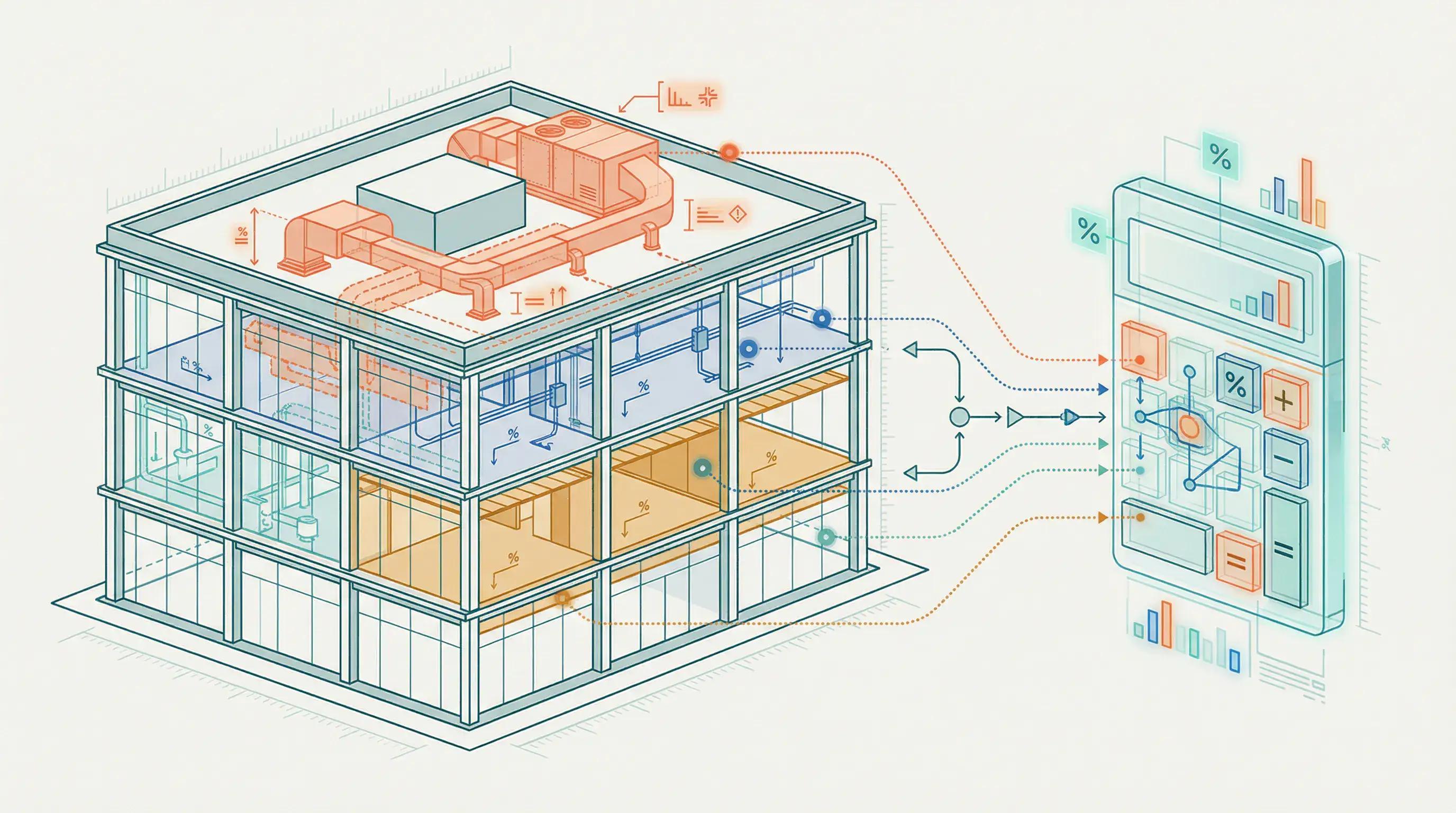
We're Pulling Back the Curtain on How We Estimate Your Savings
Most cost segregation firms won't tell you how they estimate savings. They want you to pay for a full study to find out.
We're doing the opposite.
Our free calculator applies the same engineering logic we use on $50M properties to generate instant estimates for any property. The AI is trained on our database of 1,000+ completed studies representing over $1 billion in analyzed real estate. This is institutional-grade analysis, accessible in 60 seconds.
Important context: This is a planning tool, not an IRS-defensible study, but it's accurate enough to make confident go/no-go decisions on whether a full study makes financial sense for your property. The calculator reflects current tax law including 100% bonus depreciation for property acquired after January 19, 2025 (reinstated July 2025), so the savings estimates incorporate this significant benefit.
Author's note (Overline): We built this calculator because we were tired of seeing property owners pay $5k+ for studies on properties that didn't justify the cost. The 80% answer should be free. The 100% answer (a full engineering study) is what you pay for—and only when the ROI makes sense.
The 3-Step Process
Step 1: Property Data Ingestion
You enter a property address, and our AI pulls from multiple data sources:
- County assessor records → Purchase price, land value, building characteristics
- MLS and broker data → Property photos, square footage, year built
- Satellite imagery → Site improvements (parking, landscaping, etc.)
- Construction cost databases → Typical costs per square foot for your property type
If the AI can't find accurate data (common with older properties or private transactions), you can manually input purchase price, land value, and property type. The more accurate your inputs, the more reliable the estimate.
Step 2: AI Pattern Matching Against 1,000+ Studies
This is where our proprietary $1B+ dataset becomes your competitive advantage. The AI compares your property to similar assets using sophisticated matching logic:
- Property type: Matches against hundreds of completed studies in the same category (e.g., "Multifamily 6–20 units" matches against 200+ similar properties in our database)
- Size and age: Properties built post-2000 typically have more specialty systems and higher-quality finishes. Pre-1980 construction often has less reclassifiable content.
- Location and climate: Construction methods vary significantly—slab-on-grade in Texas, full basements in the Midwest, different HVAC requirements in Phoenix vs. Seattle
- Quality signals: Photos, descriptions, and price-per-square-foot help the AI estimate construction quality class (economy, standard, luxury)
Concrete example: You input "Full Service Restaurant, $1.5M purchase, Austin TX, 4,500 sqft."
The AI:
- Pulls 87 full-service restaurant studies from the database
- Filters to similar size (3,000–6,000 sqft) → 34 matches
- Identifies Austin construction = higher quality finishes typical → adjusts upward
- Estimates 38% reclassification (matching the observed median for this cohort)
If the actual property has unusually high or low amenities, you can manually adjust the reclassification percentage in the calculator output.
Step 3: Depreciation Schedule Calculation
The calculator runs two parallel depreciation schedules to show the benefit:
Scenario A (Standard Method):
- 100% of building depreciated straight-line over 27.5 years (residential) or 39 years (commercial)
- Year 1 deduction: ~3.6% (residential) or ~2.6% (commercial) of depreciable basis
Scenario B (With Cost Segregation):
- 5-year property: Depreciated using 200% declining balance (MACRS) with half-year convention
- 15-year property: Depreciated using 150% declining balance (MACRS)
- 27.5/39-year property: Remaining basis depreciated straight-line as before
- Bonus depreciation: Applied to all 5, 7, and 15-year property (if elected and applicable)
The calculator computes the delta—the extra depreciation in years 1–10 compared to the standard method. Apply your marginal tax rate (federal + state) to this delta, and you get your estimated tax savings.
On the 100% branch, property acquired and placed in service after January 19, 2025, the benefit is front-loaded even further: you deduct the full reclassified amount immediately in year one.
Why This Approach Works
After 1,000+ studies, we identified something that changed how we approach cost segregation: 80% of the value comes from pattern recognition, not property-specific engineering.
If you know the property type and construction quality, you can estimate reclassification percentages within 5–10% accuracy using historical data alone.
Traditional firms charge $5k–$15k to manually do what our AI does in 60 seconds using the same pattern-matching logic. Full engineering studies are absolutely required for IRS-defensible filing, but they're unnecessary for the initial ROI screening decision.
That's why we built this calculator—to give you the 80% answer instantly, so you can make an informed decision about whether the 100% answer (a full paid study) is worth pursuing. This is how institutional investors screen deals—now available to every property owner.
Critical Inputs That Drive Accuracy
Depreciable Basis (Purchase Price − Land Value)
You can't depreciate land per IRS rules, so accurate land value is crucial. If you don't know your land value, the calculator estimates it based on typical ratios from our database:
| Property Location | Typical Land % |
|---|---|
| Urban commercial | 20%–35% |
| Suburban apartments | 15%–25% |
| Rural properties | 10%–20% |
| Land-heavy (parking, car washes) | 40%–60% |
Your county assessor or closing statement will show the actual allocation. Use that number for the best accuracy.
Impact on savings: Overpaying for land (waterfront premium, corner lot) shrinks your depreciable basis and savings potential. Low land value (contaminated site, flood zone) increases your building percentage and savings.
Property Type
This is the single biggest driver of accuracy. A "Restaurant (Full Service)" and a "Warehouse" might both cost $2M, but the restaurant has 2–3x more reclassifiable components due to specialty kitchen systems, millwork, and dedicated electrical/plumbing.
The calculator supports 40+ property types, each with its own historical reclassification range. For reference:
| Property Type | Typical Reclassification Range |
|---|---|
| Quick-service restaurants | 30%–38% |
| Full-service restaurants | 32%–44% |
| Warehouse/industrial | 15%–28% |
| Multifamily (luxury) | 30%–40% |
See the full savings table by property type for all 12+ categories.
Tax Rate
The calculator computes Tax Savings = Extra Depreciation x Your Tax Rate. If you're in the 37% federal bracket plus 10% state, use 47%. If you pay 0% tax, your savings are $0—even if depreciation is huge.
Calculator Accuracy and Limitations
Based on back-testing against our 1,000+ completed studies, the calculator estimates are typically within 10%–20% of final engineering study results for standard commercial properties (offices, multifamily, retail).
Accuracy is higher for common property types (apartments, single-family rentals) where we have the most data points.
Accuracy is lower for highly specialized properties (hospitals, manufacturing with unique process equipment) where individual property features have outsized impact.
What the Calculator Does NOT Do
The calculator is an estimate for planning. It is NOT an IRS-defensible study. It does not:
- Identify specific assets by component (e.g., "Carpet in Room 204" or "Parking Lot Section B")
- Account for unique renovations, substantial improvements, or property-specific features unknown to the AI
- Provide IRS Cost Segregation Audit Techniques Guide-compliant documentation for tax filing
- Offer audit defense or professional representation
- Include engineer site visits, detailed photos, or field measurements
To file your taxes, you need a full engineering study with component-level identification, professional inspection, and documentation meeting IRS standards (per Publication 551 and the Cost Segregation Audit Techniques Guide).
When You Need a Full Study
If the calculator shows strong potential (typically 10x+ ROI), your next step is engaging a qualified firm for a full engineering analysis. This involves:
- Physical property inspection by licensed engineers
- Review of blueprints, invoices, and closing documents
- Component-by-component classification with engineering justification
- Detailed report with asset-level depreciation schedules
- Audit support if the IRS questions your filing
The good news: Overline, paired with our engineering partners, delivers these full studies at approximately 50% of traditional firm pricing—starting at $1k for qualifying properties.
Frequently Asked Questions
Q: How accurate is the calculator compared to a full study? A: Based on back-testing, estimates are within 10%–20% of final results for standard commercial properties. The calculator is designed for ROI screening—it tells you whether a full study is worth pursuing. The full study provides the exact, IRS-defensible numbers.
Q: Can I use the calculator results to file my taxes? A: No. Calculator results are estimates for planning purposes only. You need a full engineering-based cost segregation study with component-level documentation to file with your tax return. The calculator helps you decide whether that investment makes sense.
Q: What if my property type isn't listed? A: The calculator supports 40+ property types. If you can't find an exact match, choose the closest category and the AI will adjust based on other property signals. For truly unique properties, contact us for a custom assessment.
Q: Does the calculator account for the 100% bonus depreciation allowance? A: Yes. The calculator assumes the property was acquired and placed in service after January 19, 2025, which is the branch that carries the 100% allowance reinstated under the One Big Beautiful Bill Act (July 2025). Savings estimates show the full first-year benefit of immediate deduction on reclassified assets.
Q: How is this different from other cost seg calculators? A: Most calculators use generic industry averages. Ours is powered by a proprietary database of 1,000+ actual completed studies representing $1B+ in real estate. The pattern-matching uses real engineering data, not theoretical estimates. That's why our accuracy range (10–20%) significantly outperforms generic tools.
Ready to See Your Savings?
Get an instant estimate using the free calculator. If the ROI makes sense, we'll deliver an IRS-compliant study at 50% of what traditional firms charge—with full transparency and engineer review of every number.
For a quick cost segregation estimate, try Modern CFO's free calculator. For how a free calculator compares to a full cost segregation study, see Modern CFO's calculator vs full study comparison.
See Your Property's Tax Savings
Drop your address. The AI estimates your depreciation savings in 60 seconds, backed by a certified engineer study.

Free cost segregation estimate, engineer-certified studies, and ongoing depreciation tracking.
Backed by $1B+ in supported tax depreciation.
Continue Reading
Explore more cost segregation guides from our library:
- How Much Does Cost Segregation Save? — Actual savings ranges by property type from our $1B+ database
- Is Cost Segregation Worth It? — Decision framework to evaluate your property's ROI
- Why Our Studies Cost 50% Less — Learn about our pricing and technology-driven approach
- Cost Segregation Legal Guide — Court cases and audit defense strategies
Disclaimer: Calculator results are estimates based on AI analysis of user inputs and historical patterns from 1,000+ completed engineering-based cost segregation studies. Actual results vary based on specific property conditions, construction methods, age, and other factors. This tool does not constitute tax advice and does not replace an IRS-compliant engineering study. Consult qualified professionals regarding your specific situation.